
 Windows
 macOS
macOSBlog
Optimize your system.
TuneUp cleans junk files with one click, manages browser caches, and balances system performance.
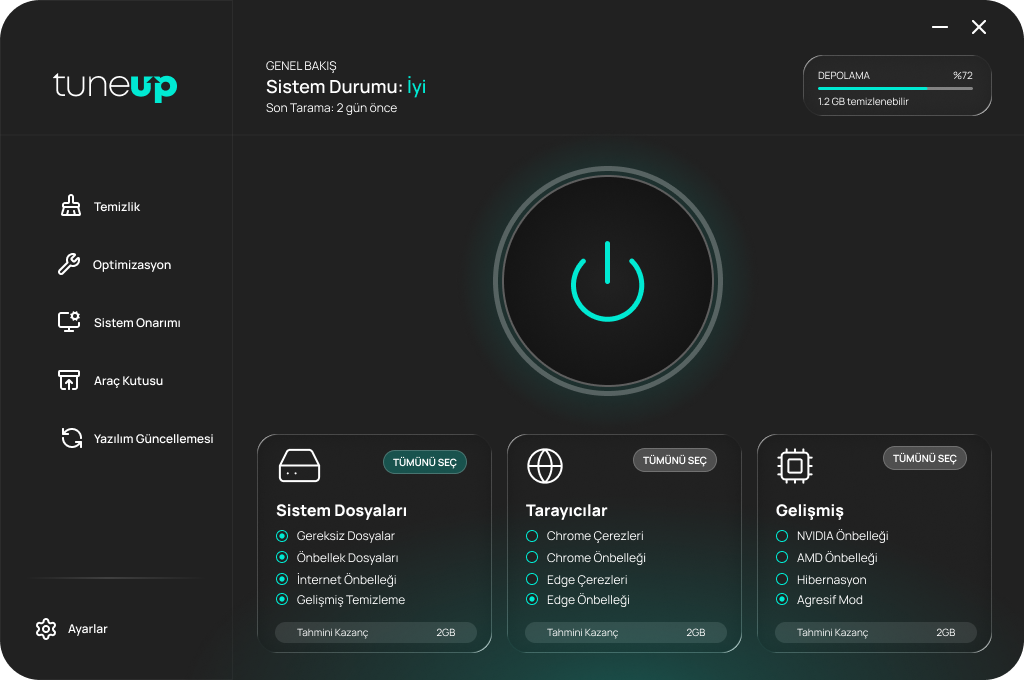
Total control with TuneUp.
Track your system at a glance with sleek cards, clear status chips, and glowing accents.
50GB+
Cleaned Space
100K+
Active Users
4.8
User Rating
%300
Performance Boost
Download
Choose your platform and start using TuneUp right away.
Plans
Choose the level of control you need with Free, Pro, and Enterprise.
| Summary | FreeDownload | ProBuy | EnterpriseGet a quote |
|---|---|---|---|
| Advanced Cleanup | |||
| NVIDIA/AMD Cache | |||
| Hibernation & Aggressive Mode | |||
| Disable Web Search | |||
| Disable Location Tracking | |||
| Disable AI (Copilot/Recall) | |||
| WiFi Sense & Storage Sense | |||
| Thumbnail Cache | |||
| File History Cleanup | |||
| Manual Service Control | |||
| Cloud Repair | |||
| Disk Optimization | |||
| Benchmark | |||
| Uninstaller | |||
| Secure Shredder | |||
| File Finder | |||
| Software Update | |||
| Remote Control |
Updates
TuneUp stays clean and fast with regular updates.
DECEMBER 2024
v2.4
New panel layout, clearer cleanup reports.
NOVEMBER 2024
v2.3
Browser profiles and a faster scan engine.
OCTOBER 2024
v2.2
Advanced mode added for storage gains.
From the Blog
Deep dives, tips, and product updates from the TuneUp team.
FAQ
Quick answers to the most common questions about TuneUp.
Which systems does TuneUp support?
Windows 10/11 and macOS 12+ are supported. Choose a plan and download the compatible build.
Can I cancel my subscription anytime?
Yes. Monthly plans can be canceled anytime; annual plans can be canceled at renewal.
Is my data safe?
TuneUp performs local cleanup and optimization only; personal files are not uploaded.
How do I buy Enterprise?
Contact our sales team; the purchase process is handled via email.